


Summary
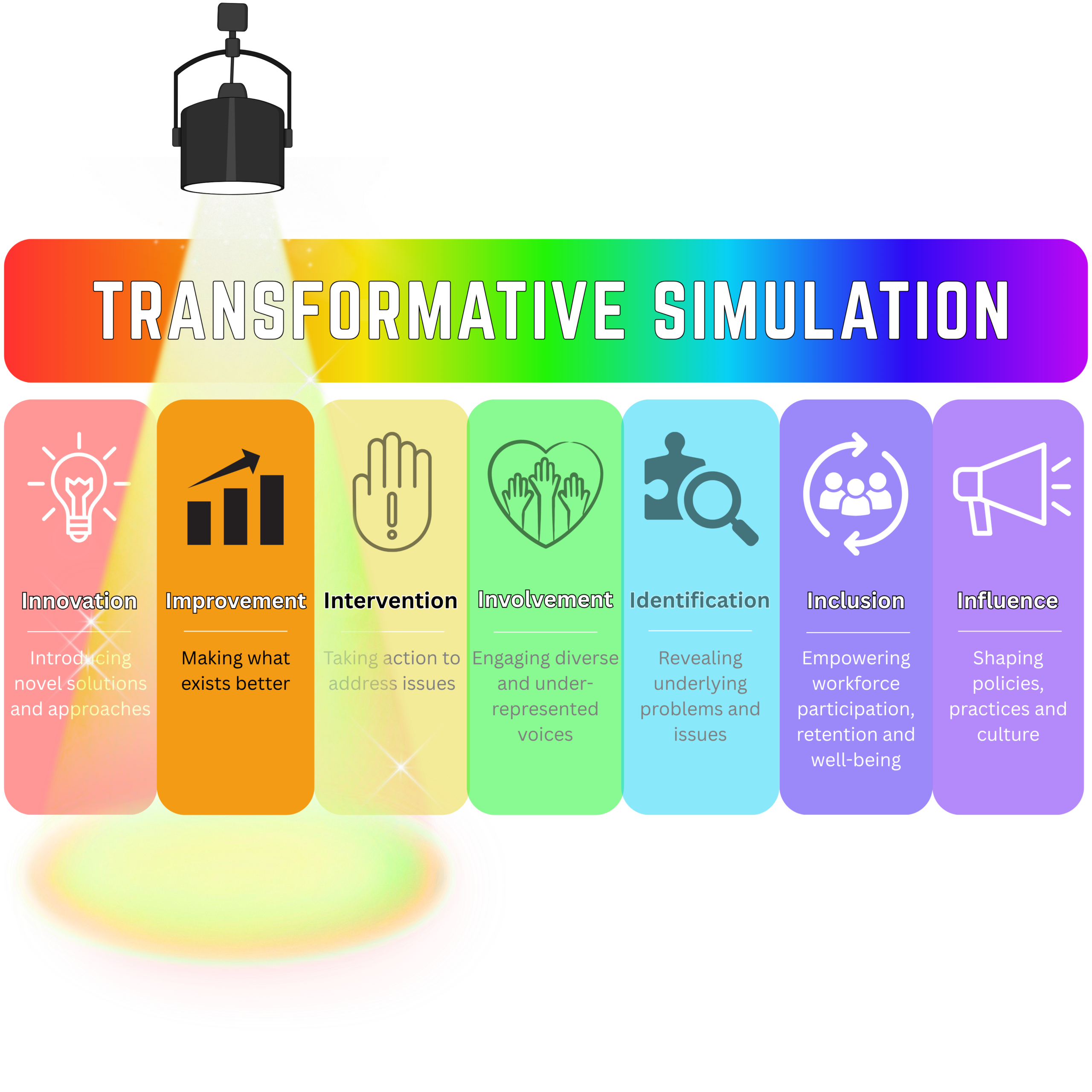
Transformative Simulation considers how simulation can be intentionally used beyond education to understand and contribute to change within healthcare systems.
The Improvement Simulation-Based Intention focuses on using simulation to make what already exists better—testing and refining healthcare processes, pathways and systems where a problem or desired outcome has already been identified.
This resource from hub topic lead Sharon Weldon brings together a short Transformative Simulation thought piece, visual explainer and selected examples from the literature demonstrating how simulation has been used to support patient safety and system improvement in practice.
Further resources from Sharon on Transformative Simulation:
Content
What is the Improvement Intention?
Simulation is increasingly used not only to develop the capabilities of individuals and teams, but to improve the systems in which care is delivered.
Within Transformative Simulation, the Improvement Simulation-Based Intention describes the purposeful use of simulation to make an existing healthcare process, pathway or system better. It begins with a problem, opportunity or desired outcome that is already sufficiently understood and uses simulation to test, refine and optimise potential changes.
Improvement-focused simulation may therefore involve testing changes to clinical processes, refining workflows, improving reliability, examining proposed solutions or iteratively adapting how care is delivered before changes are introduced into everyday practice.
The emphasis is on testing and refining what we know. Improvement approaches commonly work towards predefined outcomes, use iterative cycles of testing and measure progress against specified indicators of success. Approaches such as the Model for Improvement, PDSA cycles, Lean and Six Sigma can therefore provide useful design lenses for simulation used with an Improvement intention.
Explore the idea
Improvement & Identification: When to improve, when to identify is a thought piece exploring the relationship between Improvement and Identification and why distinguishing between these intentions matters when designing simulation for healthcare systems change.
A key distinction is whether simulation is being used to test and refine what is already known, or to reveal something about the system that is not yet sufficiently understood. Improvement assumes that we know what we are trying to change; Identification may be needed when we first need to understand the system more fully.
The accompanying short video provides a visual introduction to the Improvement Intention and its place within the wider Transformative Simulation framework.
Improvement in practice
Research and practice across healthcare simulation demonstrate many ways in which simulation can be used with an Improvement intention.
Examples include using simulation to:
test and refine changes to clinical processes and pathways
iteratively improve workflows, coordination and reliability
test proposed solutions before introducing them into clinical practice
compare alternative ways of organising or delivering care
refine changes in response to participant, system and performance data
support repeated cycles of testing as part of wider quality improvement programmes.
Importantly, Improvement and Identification are not the same intention. Improvement begins with sufficient understanding of the problem or desired outcome to enable purposeful testing and refinement. Where the nature of the problem itself remains unclear, an Identification approach may be required first.
Good examples from the literature include:
Reducing door-to-needle times in stroke thrombolysis to 13 min through protocol revision and simulation training: a quality improvement project in a Norwegian stroke centre Demonstrates simulation embedded within a quality improvement programme to test and refine a stroke pathway, reducing median door-to-needle time from 27 to 13 minutes with improvements sustained over 13 months.
In situ trauma simulation to improve time to computerized tomography among major trauma patients in an Emergency Department Shows how regular in situ simulation can improve an established trauma pathway, reducing median time to CT by 43.8% and increasing the proportion of real patients receiving imaging within one hour.
Multidisciplinary In Situ Simulation as a Postpartum Hemorrhage Quality Improvement Project Shows how multidisciplinary in situ simulation can support improvement in a high-risk obstetric pathway by testing protocols, teamwork and operational readiness while identifying opportunities to improve system processes.
In situ pediatric trauma simulation: assessing the impact and feasibility of an interdisciplinary pediatric in situ trauma care quality improvement simulation program Demonstrates an ongoing simulation-based quality improvement programme in which repeated simulations and debriefing were associated with progressive improvements in overall trauma performance, teamwork and intubation.
Simulation improves door-to-needle time for intravenous thrombolysis Demonstrates simulation used to improve stroke-team logistics at scale, with participating centres achieving greater reductions in door-to-needle time than centres not undertaking the simulation programme.
From improvement to action
Simulation-Based Improvement is most useful when it is embedded within a wider process for testing, learning and change. Transformative Simulation therefore encourages teams to consider how the Improvement intention shapes each of the 4Ds: Design, Delivery, Data and Debrief.
For Improvement, this means designing simulation around a sufficiently defined problem and desired outcome, delivering it in ways that enable meaningful testing, collecting data aligned with intended measures of improvement, and using debriefing to inform subsequent refinement and action.
Questions for practice
When designing simulation for Improvement, consider:
What specifically are we trying to make better?
Do we understand the problem sufficiently to begin testing changes?
What improvement approach, theory or model should inform the simulation design?
What outcome or process measures will tell us whether the change is an improvement?
How will simulation enable changes to be tested and refined iteratively?
Who needs to be involved in testing and interpreting the proposed changes?
How will learning from each simulation cycle inform what happens next?

About the author
Professor Sharon Weldon is Professor of Healthcare Simulation and Workforce Development at the University of Greenwich and President of the Association for Simulated Practice in Healthcare (ASPiH). She co-developed the Transformative Simulation framework, which brings together different ways in which simulation can be intentionally used to contribute to healthcare cultural and systems-level change. Her work focuses on healthcare simulation, patient safety, workforce development and participatory approaches to understanding and transforming healthcare systems.

Recommended Comments
Create an account or sign in to comment